
Freemium

AT Issue Display for OJS

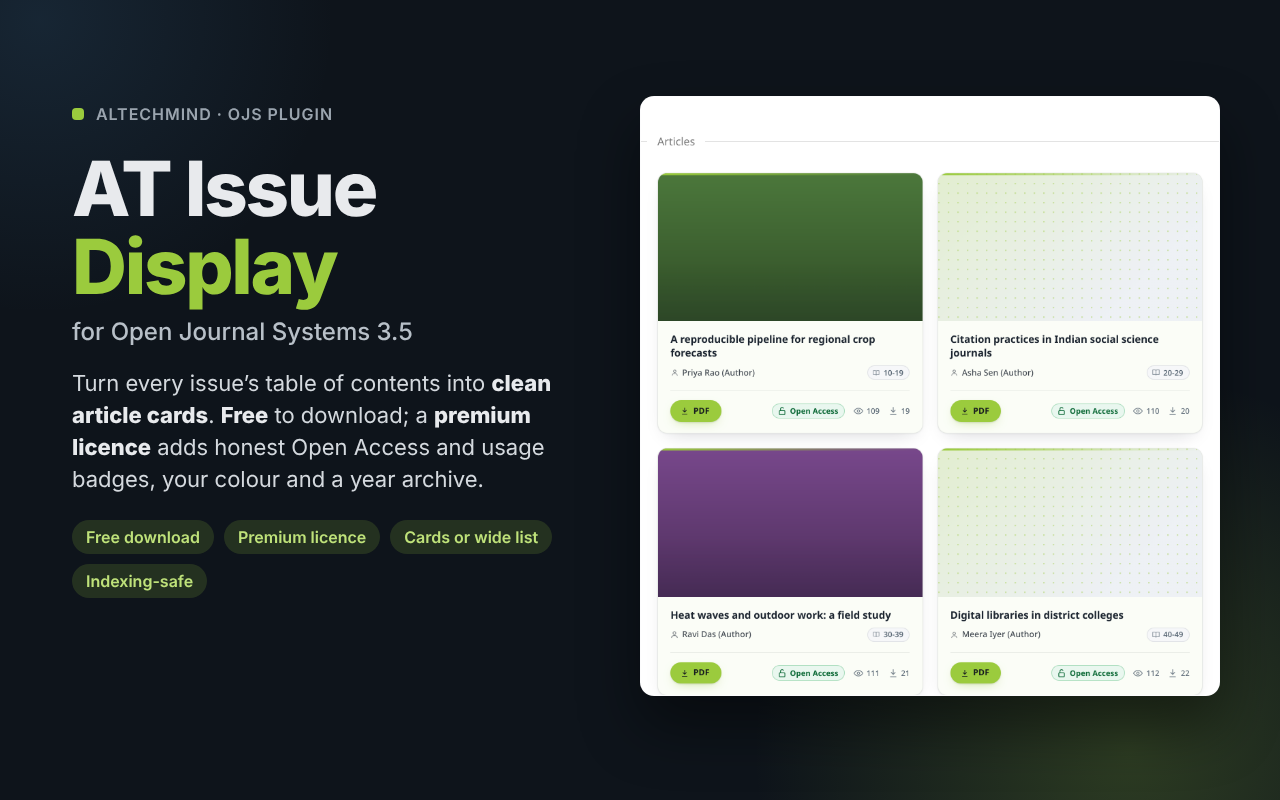
Give every issue of your OJS journal a clean, modern table of contents: article cards or a wide-card list, light or dark, and great on phones. The plugin is free to download, with no account and no licence. A premium licence adds honest Open Access and usage badges, your brand colour and a year selector for the archive. No theme files changed; citation data and indexing stay exactly the same. For OJS 3.5.

Price range: ₹2,499.00 through ₹8,999.00 incl. GST

One-time payment · Instant download · No subscription

Download free version

Free forever: cards, list, colours and covers. Upgrade to premium any time with a licence key; nothing to reinstall.

  • Secure checkout
  • Licence key instantly
  • GST invoice
Version1.1.0.4Updated 4 days ago
Updates & support2 yearsFeatures never expire
Licence1–5 journalsMove it anytime
Works withOJS 3.5Tested with 3.5.0-2 · PHP 8.2+

Description

A table of contents readers enjoy

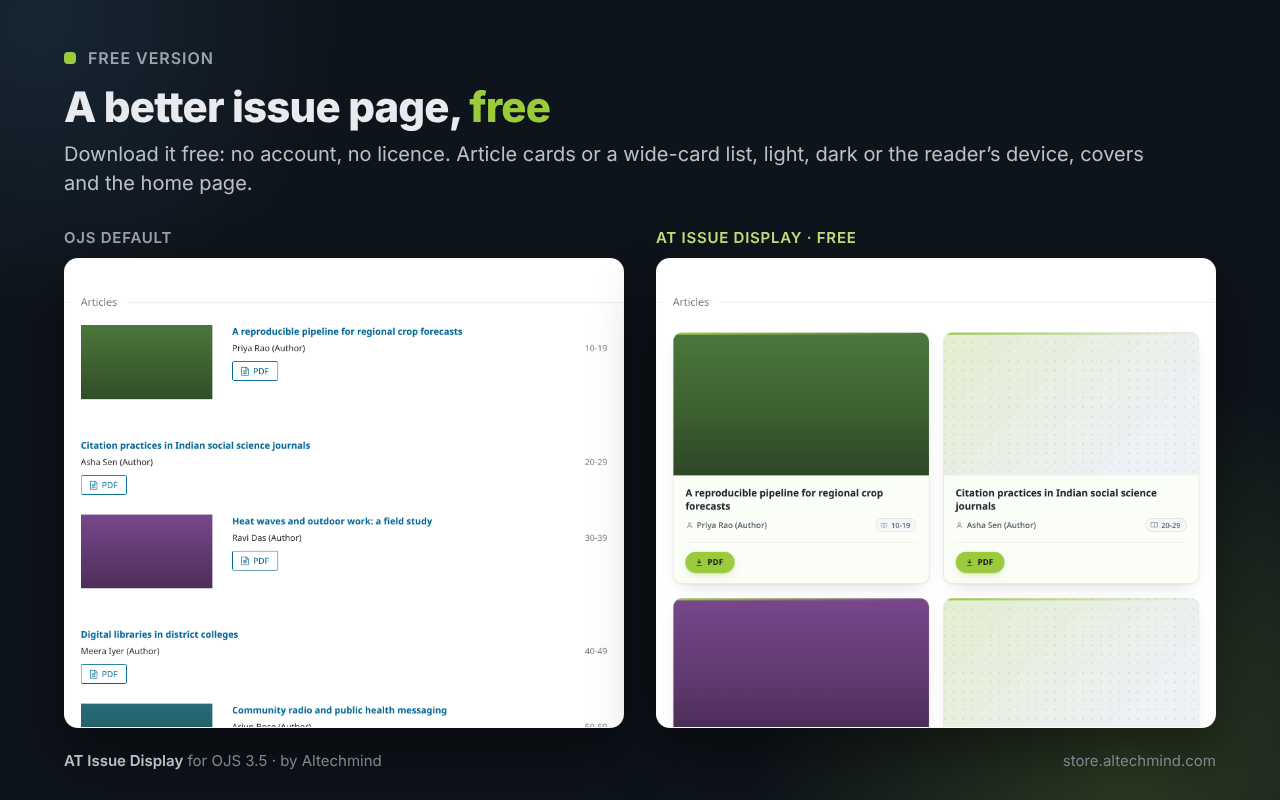
OJS shows each issue as a long, plain list. AT Issue Display turns it into clean article cards (or one wide card per article), with cover images, titles and buttons that line up across every row, and one column on phones. It works on the issue page and on the current issue on your home page, and it respects your theme’s fonts and colours.

Free to download, premium when you need it. Click Download free version and install it like any OJS plugin: the cards, the wide-card list, the colours and covers work straight away, no account or licence needed. When you want the badges, your own colour and the year archive, buy a premium licence for your journal and paste the key into the free AT Gateway. Premium switches on in the plugin you already have, with your settings kept.

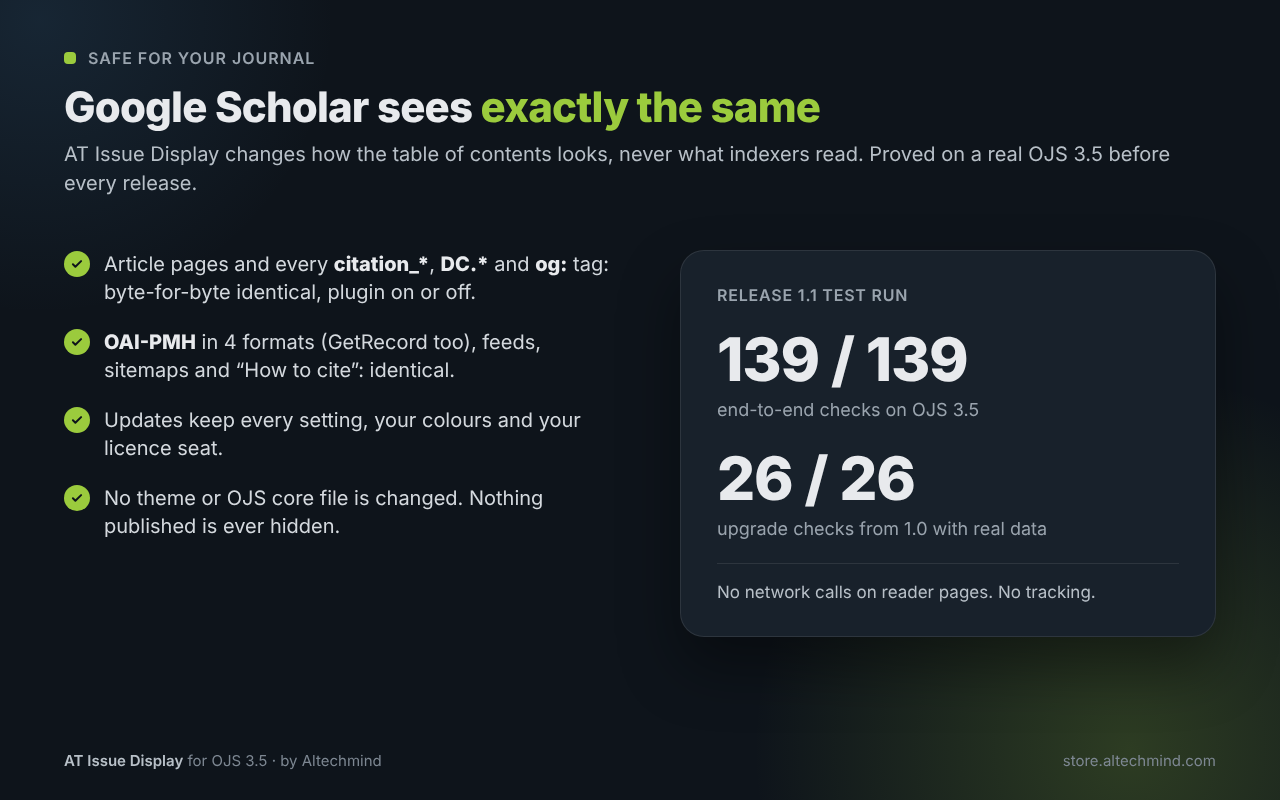
It only changes the look. Titles, links, PDFs, DOIs and every citation tag stay exactly as your theme makes them, so Google Scholar, Crossref, DOAJ and OAI harvesters see the same pages as before.

New in version 1.1

  • A new card design: a softly tinted card in your journal’s colour, an accent edge and soft shadows. Every card has the same structure, so titles, authors and buttons line up across a row.
  • Wide-card list: the refined list is now one wide card per article, with the cover on the left. It stacks on phones.
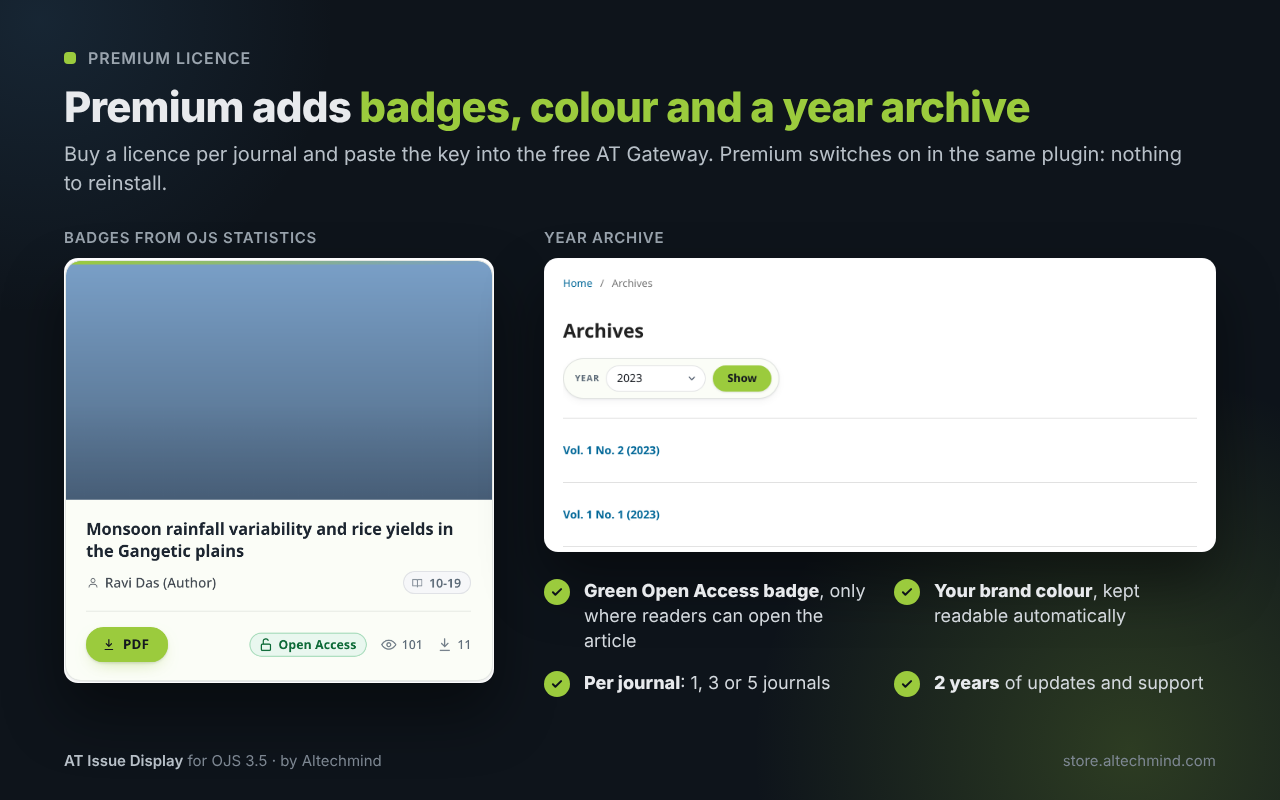
  • Buttons and badges on one line: a filled PDF button, with the green Open Access badge, views and downloads beside it.
  • Your colour, kept: choose Altechmind lime or the classic blue. Journals updating from 1.0 keep the colours their readers know.
  • Clearer settings: a licence status box, plain-language help and a live preview of your cards.
  • Safer updates: settings, colours and your licence seat are kept, and indexing stays byte-for-byte the same.

Bought 1.0? Version 1.1 is a free update within your 2 years of updates.

Free and premium

Feature Free Premium
Article cards in a grid (2 or 3 columns) or a wide-card list ✓ ✓
Card style: soft shadow, outline or minimal ✓ ✓
Light, dark or “follow the reader’s device” ✓ ✓
Colour: Altechmind lime or classic blue ✓ ✓
Cover images on top of cards, even rows, one column on phones ✓ ✓
Same style for the current issue on the home page ✓ ✓
Settings with a live preview and plain-language help ✓ ✓
Abstract-view and download badges, from OJS’s own statistics ✓
Open Access badge that tells the truth: only on articles readers can open without a subscription ✓
Your brand colour as accent (kept readable automatically) ✓
Archive year selector covering every published year ✓

The plugin is free to download (button on this page): the free layout needs no account and no licence. The premium licence switches on the premium features through the free AT Gateway plugin, in place, with your settings kept.

Features

  • Cards or wide list: 2 or 3 columns of rounded cards with restrained shadows, or one wide card per article. A filled PDF button and the badges share the card’s footer line.
  • Light, dark or follow device: dark cards use soft #E8EAED text, never harsh white; “follow device” switches with the reader’s phone or computer. Your theme’s own page colours are never overridden.
  • Phones first: one column, no sideways scrolling, checked at 390 px.
  • Honest badges (premium): views and downloads come from the statistics OJS already collects (no tracking of our own); the Open Access badge follows OJS’s real access rules (open journal, open issue, open article or a passed open-access date).
  • Your colour (premium): pick your brand colour; text in it is darkened or lightened automatically to stay readable (WCAG AA).
  • Year archive (premium): a year selector above the issue archive; choosing a year lists every issue of that year on one page.
  • Fast: one grouped statistics query per page, cached for 6 hours; licence checks are local, no network calls while readers load a page.
  • Accessible: visible keyboard focus, labelled controls, screen-reader text for badges, contrast checked in light and dark.
  • Upgrade-safe: settings, the enabled state and your licence seat are kept on every update; updates install from AT Gateway.

What it changes (and what it never touches)

  • Changes: the look of the issue page’s article list, of the current issue on the home page and (premium) adds a year selector to the archive. It adds one stylesheet, a few CSS settings and, for premium, a badge row under each article.
  • Never touches: article pages, galleys/PDFs, DOIs, every citation_* (Google Scholar), DC.* and og: tag, OAI-PMH (all formats), RSS/Atom feeds, sitemaps, “How to cite”, URLs and robots. We prove it before every release on a real OJS 3.5: these are byte-for-byte identical with the plugin on, off or with a lapsed licence, and before and after an upgrade.
  • The year view (/issue/archive?year=2024) is marked noindex,follow and is never in your sitemap, so search engines keep indexing your normal archive and issue pages without duplicates.
  • No theme or OJS core file is changed. Nothing published is ever hidden when a licence lapses: the page simply returns to the free layout.
  • Data: the plugin sends nothing anywhere and adds no cookies, analytics or tracking. Badges read OJS’s own statistics on your server. Only AT Gateway’s daily licence check talks to the store (see “What it sends” below).
  • Accessibility: text and badges meet WCAG AA contrast in light and dark; keyboard focus is always visible.

Requirements

  • OJS 3.5 (PHP 8.2 or later)
  • AT Gateway (free) for premium: AT Gateway
  • Card and list layouts: the Default theme and themes built on it (for example Manuscript). With Classic and Health Sciences the theme keeps its own article list and the badges and year selector are added.

Licence, updates and support

  • Free plugin, premium licence: the plugin is free to download and use. You buy the premium licence.
  • Per journal: each journal that uses premium uses one seat. Choose 1, 3 or 5 journals.
  • One-time payment, including 2 years of updates and support. After 2 years the plugin keeps working, premium included; renew to keep receiving updates and support.
  • Support covers the plugin: installation questions, bugs and how-to (see the knowledge base). Theme customisation is not included.

Not included in this version (coming soon)

  • Card layout for Classic, Health Sciences and other themes with their own markup (they get badges and the year selector today)
  • Citation counts (Crossref, Dimensions) and altmetrics badges
  • Languages other than English for the plugin’s own labels (OJS’s own texts stay in your journal’s language)

Documentation

Legal

AT Issue Display is free software under the GNU General Public License v3. The premium licence gives you the premium features through AT Gateway, 2 years of updates and support. OJS and Open Journal Systems are projects of the Public Knowledge Project (PKP). AT Issue Display is not affiliated with or endorsed by PKP. Google Scholar, Crossref and DOAJ are named only to describe compatibility.

Additional information

Journal

1, 3, 5

Setup & Licensing

1Get started

Per-journal licence: Each journal that switches the plugin on uses one seat. Install AT Gateway (free), add the key once under Administration › Site Settings › Plugins › AT Gateway; journals are activated automatically while seats are free.

  1. 1. Copy your licence key from My Account › Licenses.
  2. 2. Install the free AT Gateway: Administration › Site Settings › Plugins › Upload a new plugin, then enable it.
  3. 3. Upload AT Issue Display the same way (Upload a new plugin). Already using the free version? Skip this step: premium switches on in the installed plugin.
  4. 4. In each journal that will use it: Settings › Website › Plugins › enable AT Issue Display (each journal uses one seat).
  5. 5. Administration › Site Settings › Plugins › AT Gateway › Licences & updates: paste the key and click Save & activate.
  6. 6. In the journal: Settings › Website › Plugins › AT Issue Display › Settings: check the preview, pick your options and save. The defaults already look right on most journals.
  7. Full guide: https://www.altechmind.com/kb/at-issue-display-user-guide/

2What it sends — data & privacy

Per-journal licence: Each journal that switches the plugin on uses one seat. Install AT Gateway (free), add the key once under Administration › Site Settings › Plugins › AT Gateway; journals are activated automatically while seats are free. Each seat is the journal’s address (host + journal path, e.g. example.org/myjournal); whole-installation licences count the host only.

How this plugin is activated: AT Gateway (free) activates and checks the licence. Once a day it sends to store.altechmind.com: a signature made with the licence key (never the key in clear text), the product, your site and journal address (one seat per journal), and the OJS and PHP versions.

AT Issue Display itself sends nothing anywhere. It adds no cookies, analytics or tracking. View and download badges read the usage statistics OJS already stores on your server. No reader, author or article data leaves your site.

Frequently asked questions

How much does it cost?

₹2,499 for one journal, ₹5,999 for three and ₹8,999 for five, including GST, as a one-time payment with 2 years of updates and support. Launch offer until 30 November 2026: ₹1,499, ₹3,499 and ₹4,999 (incl. GST).

Is there a free version?

Yes. The plugin itself is free: download it from the product page (no account, no licence). The card and wide-card list layouts, card styles, colours (light, dark or the reader's device; lime or classic blue), covers and the home page style work without a licence. A premium licence adds the badges, your own accent colour and the archive year selector, plus 2 years of updates and support.

How do I go from free to premium?

Buy a licence, install the free AT Gateway and paste the key there. Premium switches on in the same plugin: nothing to uninstall or reinstall, and your settings are kept.

Will it change what Google Scholar, Crossref or DOAJ see?

No. Article pages, citation tags, OAI-PMH, feeds, sitemaps and How to cite stay byte-for-byte the same with the plugin on or off. We test this on a real OJS 3.5 before every release.

Does it change my theme files or OJS?

No. It adds a stylesheet and, for premium, a badge row through OJS's own hooks. Switch it off and your journal looks exactly as before.

Which themes does it work with?

Cards and the list work with the Default theme and themes built on it, such as Manuscript. With Classic and Health Sciences the theme keeps its own list and the badges and year selector are added. It never breaks a page.

Where do the view and download counts come from?

From the usage statistics OJS already collects. Nothing is tracked by the plugin. Counts update when OJS processes its statistics (daily) and are cached for up to 6 hours; zero counts are hidden.

When does the Open Access badge show?

Only when readers can open the article without a subscription: the journal is open access, the issue or article is open, or the issue's open-access date has passed. Subscription articles never get it.

Does it work on phones and in dark mode?

Yes. Phones get one column with no sideways scrolling. Choose light, dark, or follow the reader's device.

Can I use my journal's colour?

Yes, with a licence. Pick any colour; text drawn in it is darkened or lightened automatically so it stays readable.

What does the year selector do?

It adds a Year menu above the issue archive with every year you published in. Choosing a year lists all issues of that year on one page. That page is marked noindex so search engines don't see duplicates.

What happens if my licence expires or AT Gateway is switched off?

The journal shows the free layout; nothing published is hidden and your premium settings are kept. After 2 years premium keeps working; renewing only brings updates and support.

Do I need AT Gateway?

Only for premium. AT Gateway is free; your site administrator installs it once for the whole site and enters the licence key there.

Does it slow down my journal?

No noticeable difference in our tests. Badge counts use one grouped query per page with a 6-hour cache, and the licence check is local with no network call.

Will updates keep my settings?

Yes. Every setting, the enabled state and your licence seat are kept, and we test the upgrade from the previous release with real data before every release.

Which OJS versions are supported?

OJS 3.5 (PHP 8.2 or later). Earlier versions are not supported.

Need more? See FAQ & troubleshooting, the full documentation, or open a support ticket.

Changelog

  1. v1.1.0.4LatestFeature updateOJS 3.5
    • Improvednew article cards in the Altechmind design: a softly tinted card in your journal's colour, an accent edge, soft shadows and a lift on hover.
    • Improvedevery card has the same structure (cover, title, authors with the page numbers, then a footer), so titles and buttons line up across a row.
    • Improvedthe PDF is a filled button with a download icon; other galleys are outline buttons, and subscription galleys show a lock.
    • Improvedthe Open Access badge is a clear green pill; views and downloads are quiet icon counts next to the buttons.
    • Improved"Refined list" is now a wide card per article: cover on the left, details and buttons on the right. It stacks on phones.
    • Improved"Keep cards even" gives articles without a cover a matching placeholder, in both layouts.
    • Improvedthe archive year selector is a rounded control that matches the cards.
    • Added"Colour" setting (free): Altechmind lime or the classic blue of 1.0. Journals that already used 1.0 keep their blue after the update.
    • Improvedany accent colour stays readable: text is darkened or lightened automatically to meet accessibility contrast (WCAG AA).
    • Improvedsettings page: a clear licence box, plain-language help for every option, a colour picker and a live preview of your cards.
    • Improvedkeyboard focus is always visible; printed issue pages have no shadows and never split a card.
    • Fixedon dark cards the page numbers and PDF buttons were hard to read.
    • Fixed"Follow the reader's device" with the list layout could show light-grey text on a white page.
    • Fixedthe year selector did not appear with the Classic and Health Sciences themes.
    • Fixedon MySQL/MariaDB the year view listed a year's issues in a different order on each visit.
    • Fixedreduced-motion setting: cards no longer move on keyboard focus.
    • Fixedafter an update, browsers always load the new stylesheets.
    • Securitysettings with malformed values are refused cleanly and never reach the page.
    • Securitythe archive's year view also sends X-Robots-Tag: noindex, follow, so search engines never index duplicate archive pages.
    • Improvedsafe updates: settings, the enabled state and your licence seat are kept, and old and new code never mix during an update.
  2. v1.0.0.0Major releaseOJS 3.5
    • Addedissue table of contents as cards (2 or 3 columns) or a refined list, on issue pages and the journal home page
    • Addedcard styles (soft shadow, outline, minimal) and light, dark or follow-device colours
    • Addedcover images on top of each card, with even rows when some articles have no cover
    • Added(premium) view and download badges from OJS statistics, Open Access badge only where true, accent colour, archive year selector covering every year
    • Addedlicensing and updates through the free AT Gateway
    • Securityno theme files changed; article pages, citation tags and OAI output are never altered