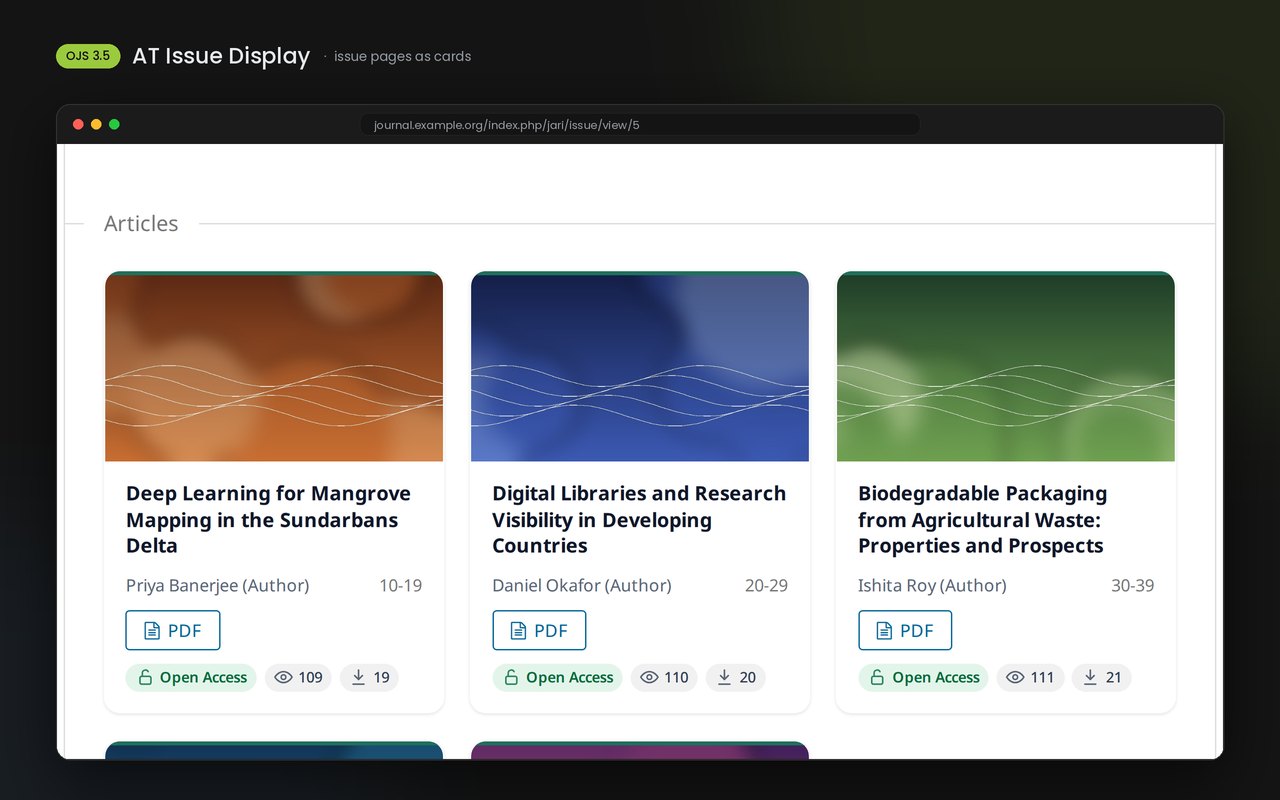
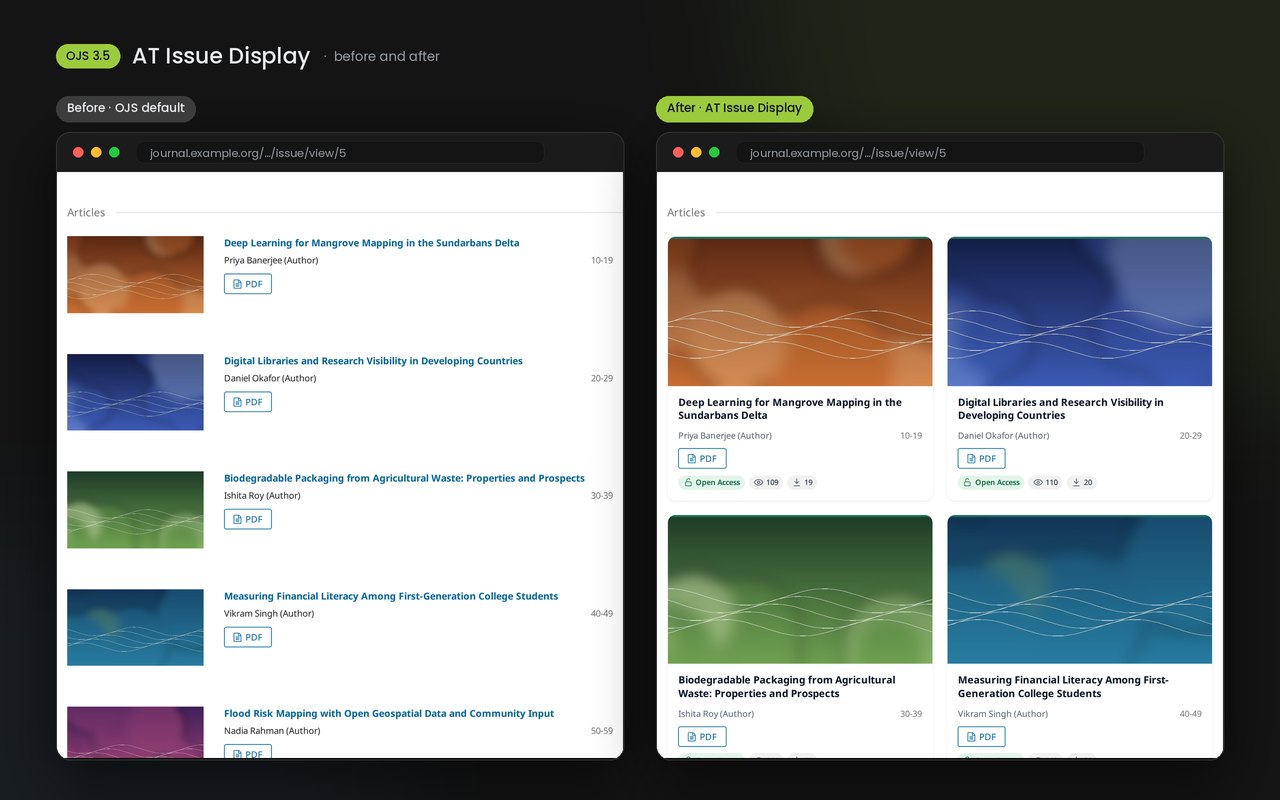
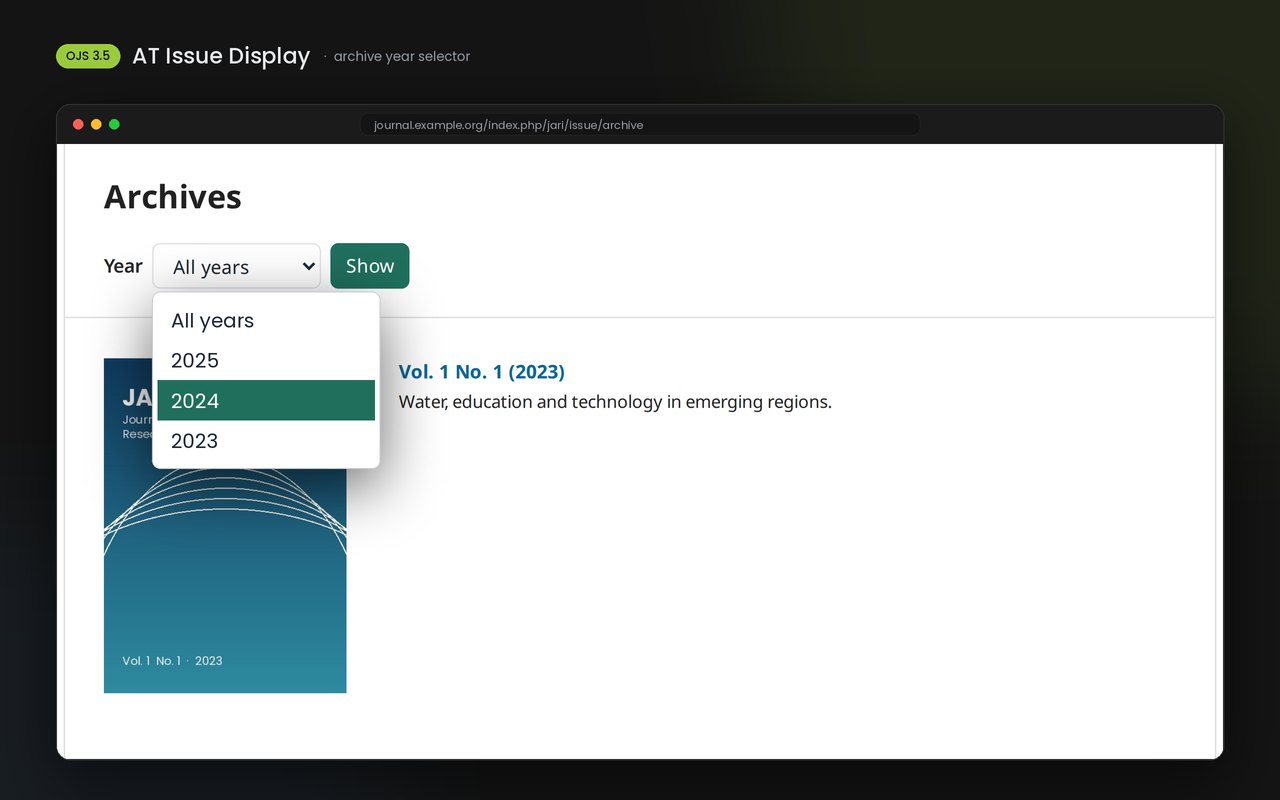
A cleaner table of contents for your OJS issues: articles as cards or a refined list. Premium adds view and download badges, a truthful Open Access badge, an accent colour and a year selector for the archive. Safe for Google Scholar: no theme files changed. Needs the free AT Gateway.
₹1,499.00 incl. GST
One-time payment · Instant download · No subscription
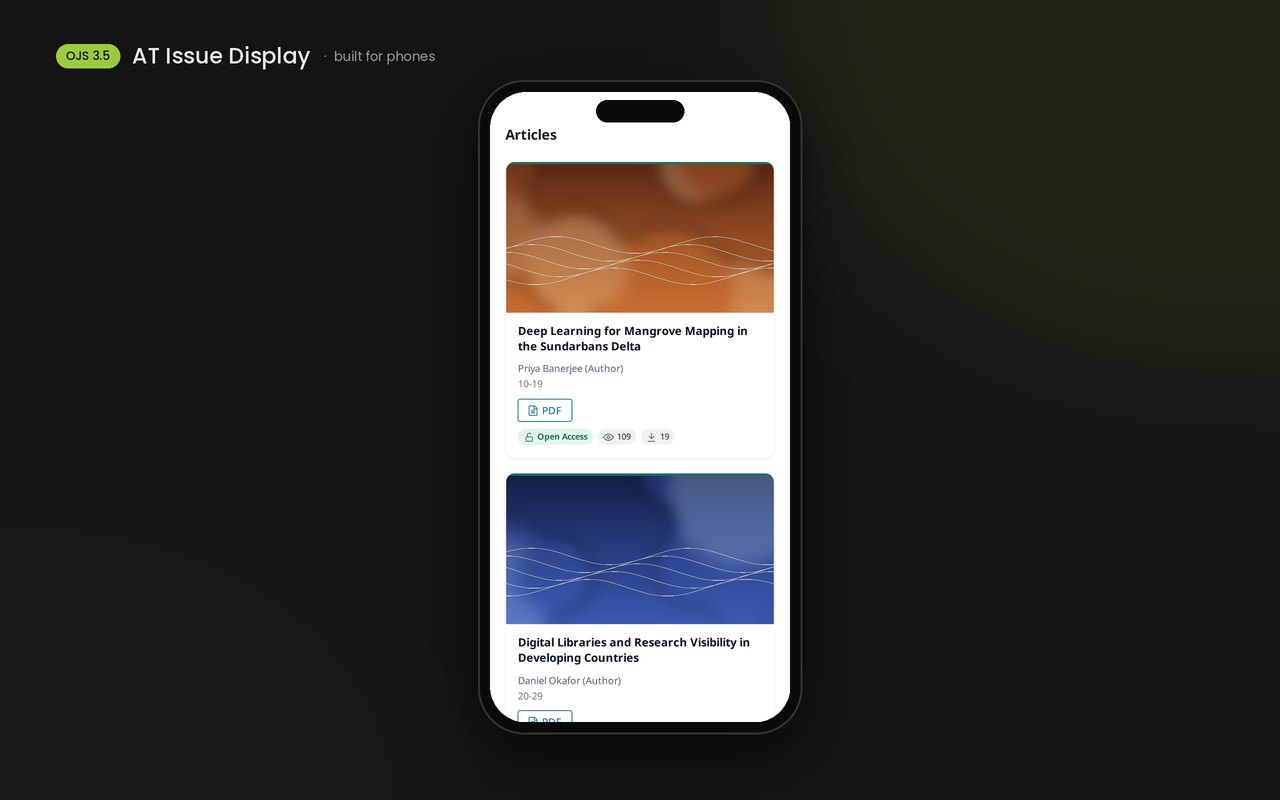
Make every issue look like a modern journal. AT Issue Display turns the plain OJS issue list into tidy cards (2 or 3 columns) or a refined list, on the issue page and the journal home page. Works on phones out of the box.
Premium features
Abstract-view and download badges, taken from the statistics OJS already collects
An Open Access badge only on articles readers can actually open
Your accent colour on every card
A year selector on the archive that lists every issue from that year on one page
Safe for indexing. No theme template is changed. Article pages, citation meta tags, DOIs and OAI output stay byte-for-byte the same, so Google Scholar and Crossref are unaffected. If the licence ever lapses, the cards stay and only the premium extras switch off.
Requirements: OJS 3.5, PHP 8.2+, the free AT Gateway plugin (installed once per site by the site administrator).
Licence: one-time payment per journal, 2 years of updates and support. Premium features keep working after the update period.
Setup & Licensing
1Get started
Per-journal licence: Each journal that switches the plugin on uses one seat. Install AT Gateway (free), add the key once under Administration › Site Settings › Plugins › AT Gateway; journals are activated automatically while seats are free.
Site administrator (once per OJS site): download the free AT Gateway from store.altechmind.com/items/at-gateway/, upload it under Administration › Site Settings › Plugins › Upload a new plugin, and enable it.
Journal manager: download AT Issue Display from My Account › Licenses, upload it under Settings › Website › Plugins › Upload a new plugin, and enable it.
Choose your layout under AT Issue Display › Settings (cards or list, columns, card style, colours). These work without a licence.
Site administrator: open AT Gateway › Licences & updates, paste your licence key once and click Activate.
Done: badges, accent colour and the archive year selector switch on for that journal. To move the licence to another journal, release the seat in AT Gateway or in My Account › Licenses.
2What it sends — data & privacy
Per-journal licence: Each journal that switches the plugin on uses one seat. Install AT Gateway (free), add the key once under Administration › Site Settings › Plugins › AT Gateway; journals are activated automatically while seats are free. Each seat is the journal’s address (host + journal path, e.g. example.org/myjournal); whole-installation licences count the host only.
How this plugin is activated
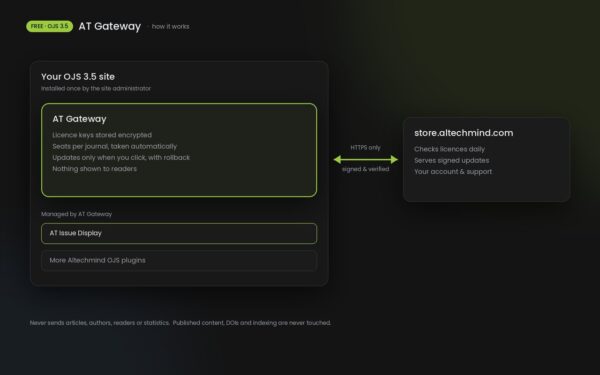
AT Issue Display never contacts any server itself. Licensing goes through the free AT Gateway plugin, which talks only to store.altechmind.com over HTTPS, once a day and when you click "Check now". It sends: the product name, your journal's URL, the OJS and PHP versions, a random one-time number, and a signature made with your licence key (the key itself is never sent in the clear). It never sends: articles, authors, reader data, statistics or any personal information. The view and download badges are read from your own OJS statistics, on your server. If the store cannot be reached, premium features keep working for 7 days, then pause and the plugin works as the free version. Published content, DOIs, citation tags and indexing are never affected.
Frequently asked questions
Does it work without a licence?
Yes. The card or list layout, columns, card styles and colours are free. A licence adds the view, download and Open Access badges, the accent colour and the archive year selector.
Is it safe for Google Scholar and indexing?
Yes. No theme files are changed. Article pages, citation meta tags, DOIs and OAI output stay exactly the same with the plugin on or off.
Which OJS versions are supported?
OJS 3.5 with PHP 8.2 or newer. Versions for OJS 3.3 and 3.4 are not available yet.
Does it work with my theme?
It works with the Default theme and themes based on it. With a very different theme it simply has no visible effect and nothing breaks.
I have several journals on one OJS site. What do I buy?
One licence per journal. Contact support for a single key that covers several journals.
What happens when the 2 years of updates end?
The premium features keep working. You only stop receiving new versions and support until you renew.
Where do the view and download numbers come from?
From the statistics OJS already collects on your own server. They update once a day.
Why is AT Gateway needed?
AT Gateway is free. It stores your licence keys encrypted and installs signed updates for all Altechmind OJS plugins, so each plugin doesn't need its own licence screen.
Addedissue table of contents as cards (2 or 3 columns) or a refined list, on issue pages and the journal home page
Addedcard styles (soft shadow, outline, minimal) and light, dark or follow-device colours
Addedcover images on top of each card, with even rows when some articles have no cover
Added(premium) view and download badges from OJS statistics, Open Access badge only where true, accent colour, archive year selector covering every year
Addedlicensing and updates through the free AT Gateway
Securityno theme files changed; article pages, citation tags and OAI output are never altered